
We would be happy to hear your feedback and learn about your experience with Wiki Beauty, our products, and the delivery service. You can easily rate your order by following the steps below:
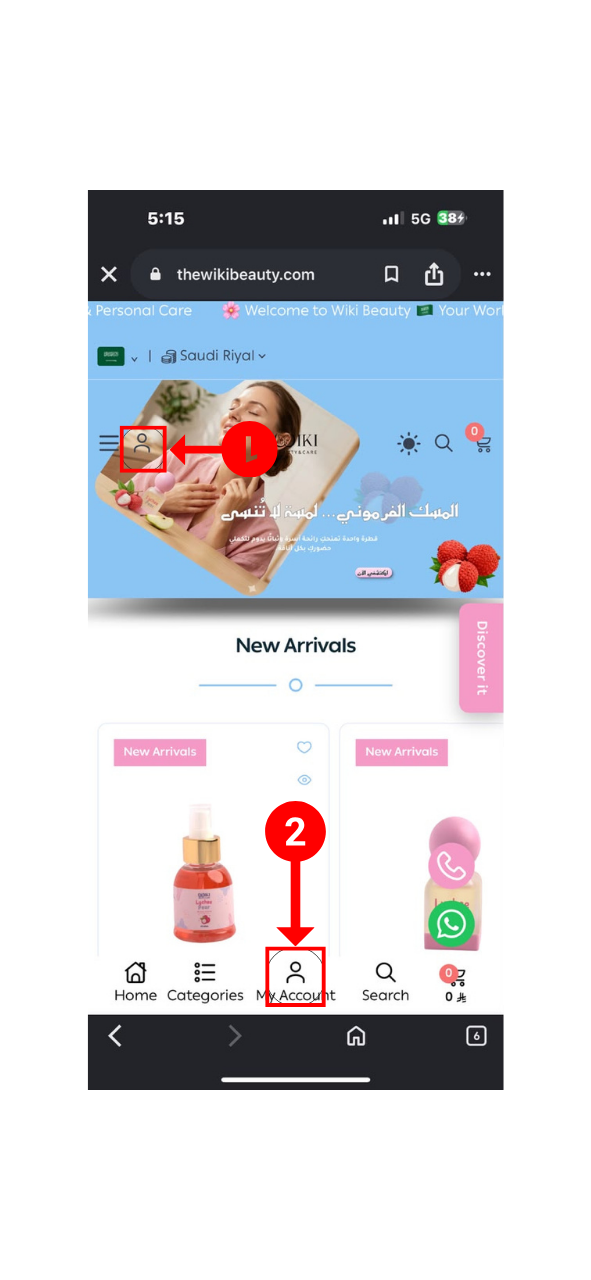
Visit the Wiki Beauty store, then click the Account icon:
To go directly to your account on the Wiki Beauty store, click My Account on Wiki Beauty.
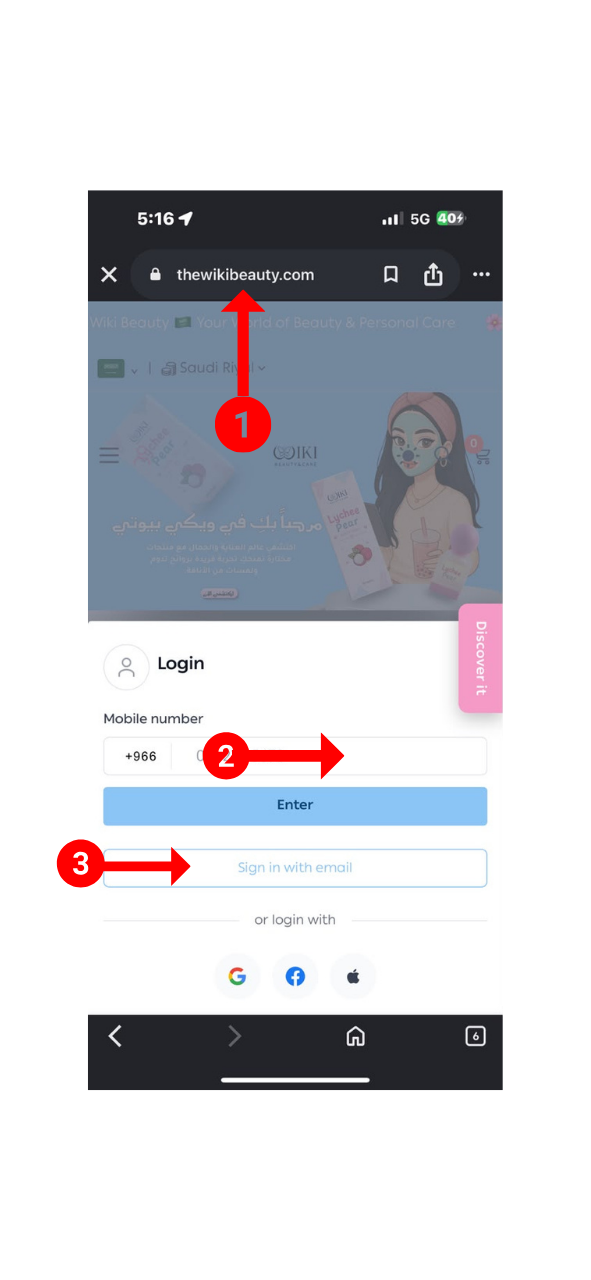
After clicking the Account icon, the Wiki Beauty sign-in window may appear.
You can sign in using one of the following methods:
Make sure that you are visiting the official Wiki Beauty store at https://thewikibeauty.com, as shown in the following image.
If you do not have an account, you can create a new one from the same window.
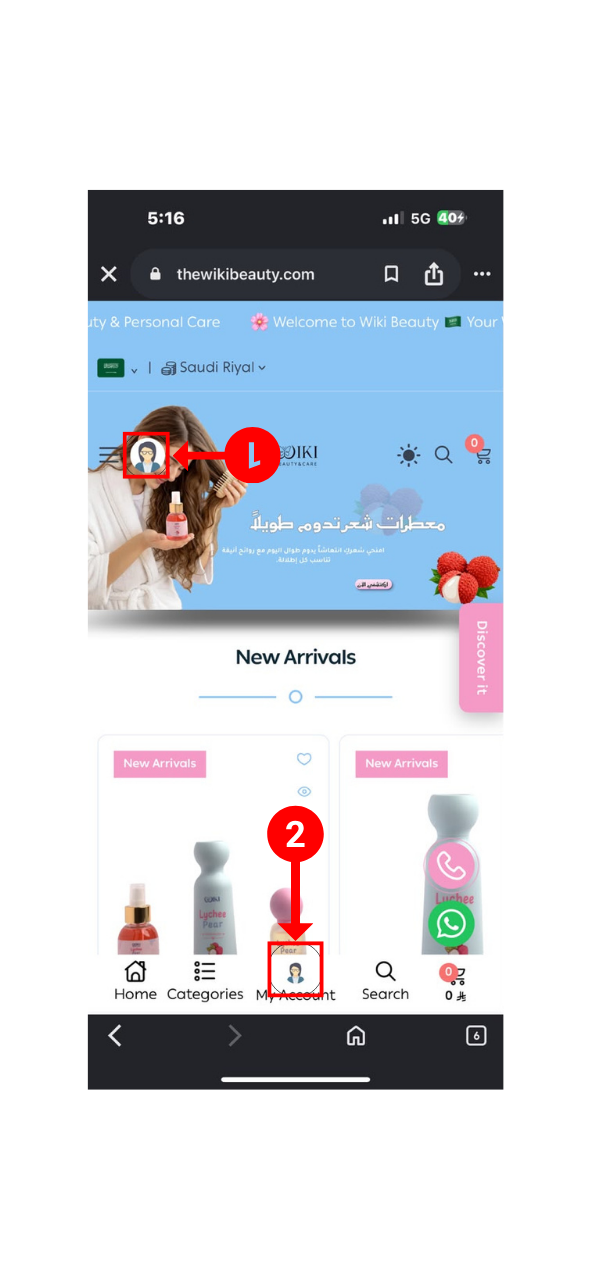
After signing in, the home page will appear, and the Account icon will change to your profile picture, confirming that you have signed in successfully.
Click the Account icon from:
Your account menu will appear. Select Orders, as shown in the image.
Alternatively, you can go directly to your orders by clicking My Orders on Wiki Beauty.

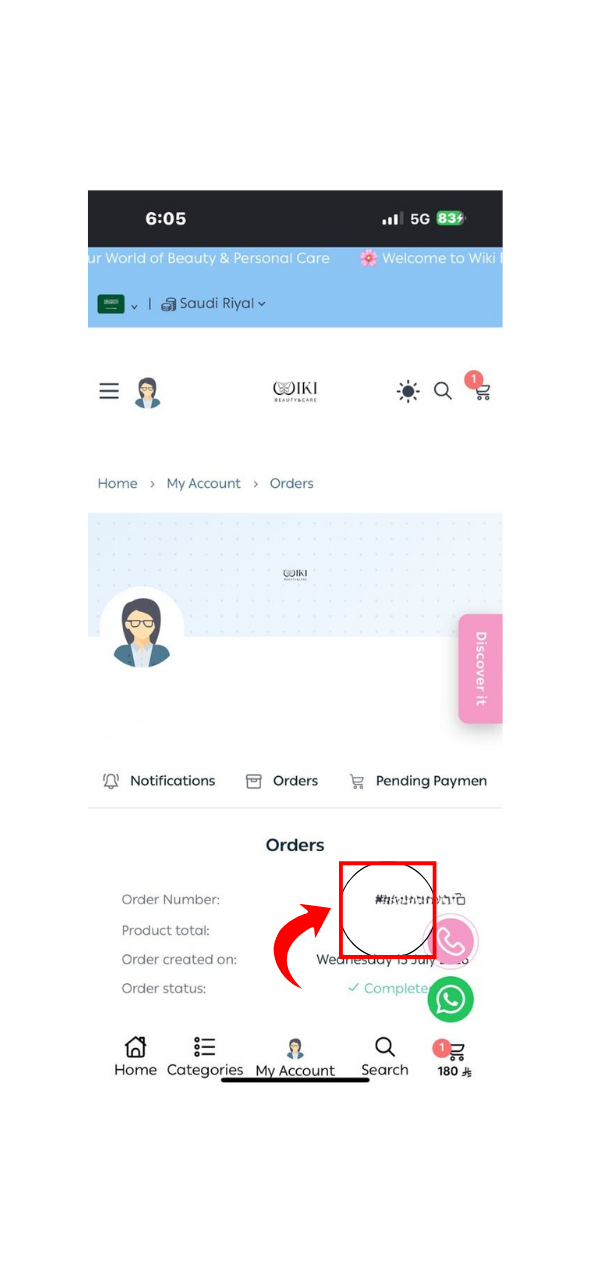
The Orders page will display your previous orders.
Find the order you want to review, then click it. Make sure that the order status is Completed or Delivered, as shown in the following image.
After opening the order details, you will find the Rate button at the bottom of the page.
Click Rate to open the store, product, and delivery rating page.
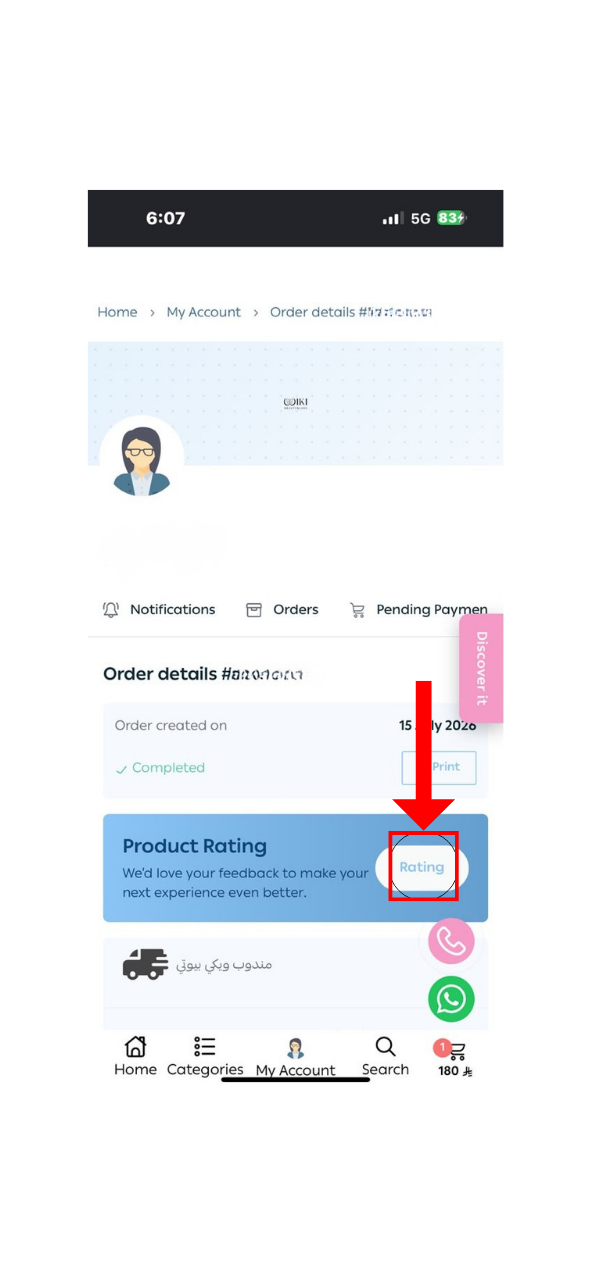
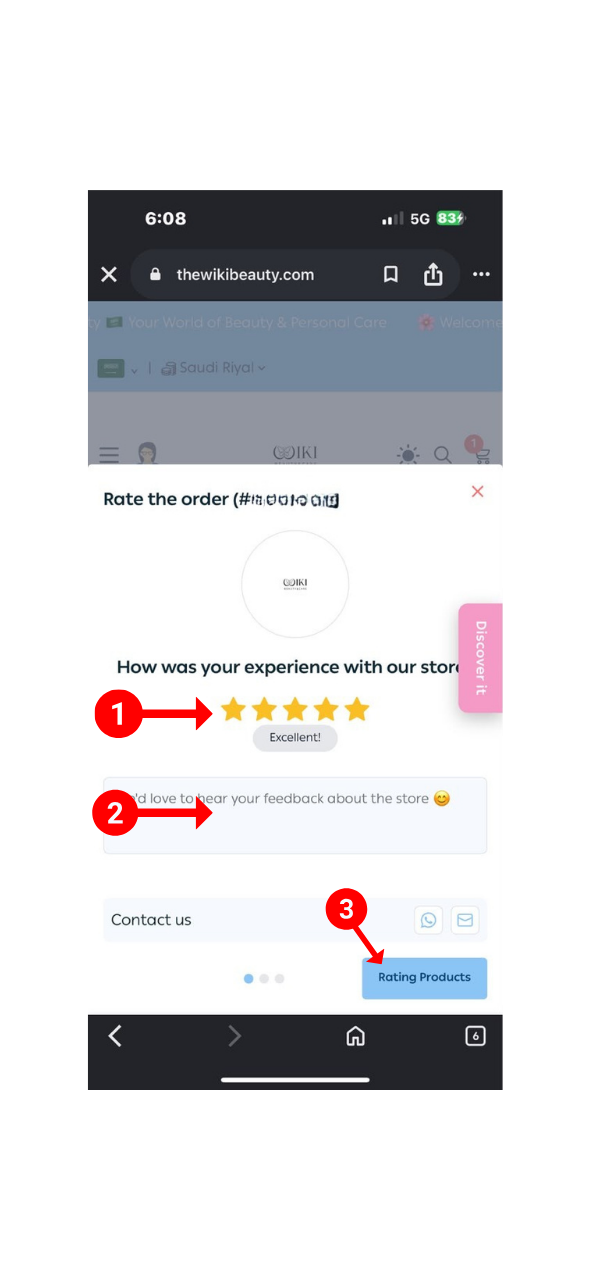
Start by rating your experience with the Wiki Beauty store:
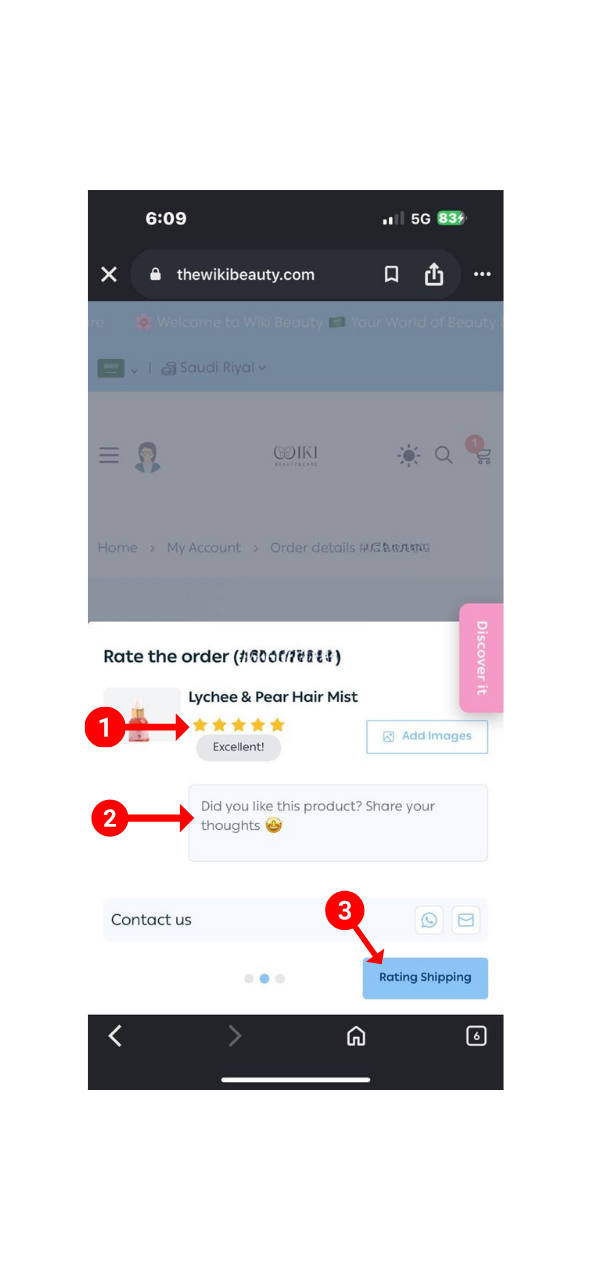
The product rating page will appear:
After rating the store and the product, the shipping company rating page will appear:
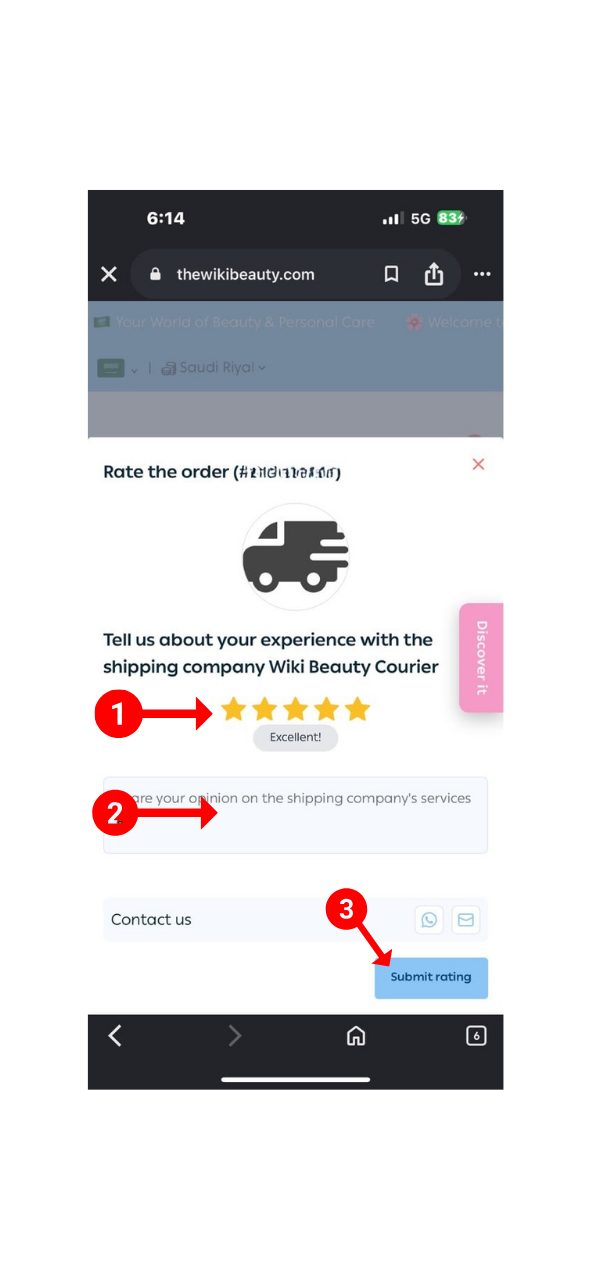
After clicking Submit Review, your review will be successfully submitted. Thank you for shopping with Wiki Beauty.
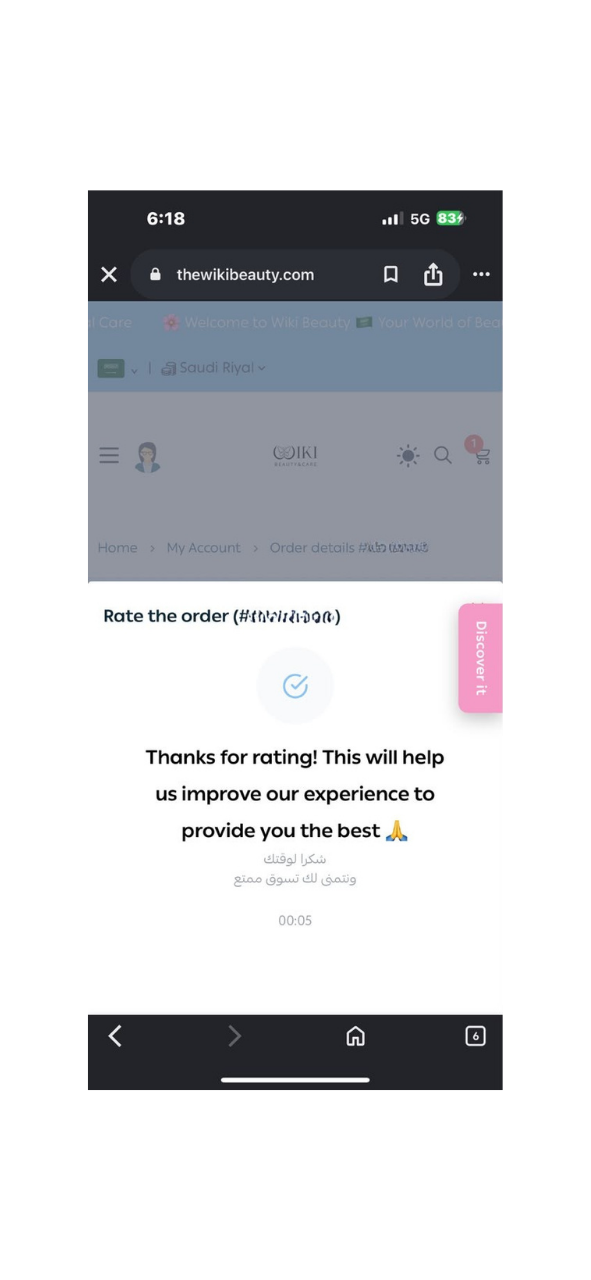
Thank you for sharing your feedback with us. Your review helps us continually improve our products and services.
If you would like to contact us, please visit the Contact Us page.
If you would like to receive notifications about your order or updates from the Wiki Beauty store, you can view them in the Notifications section of your account.
